Performance Max Campaigns: The 2026 Setup Guide (And When They Beat Search)
 Written by Martin J.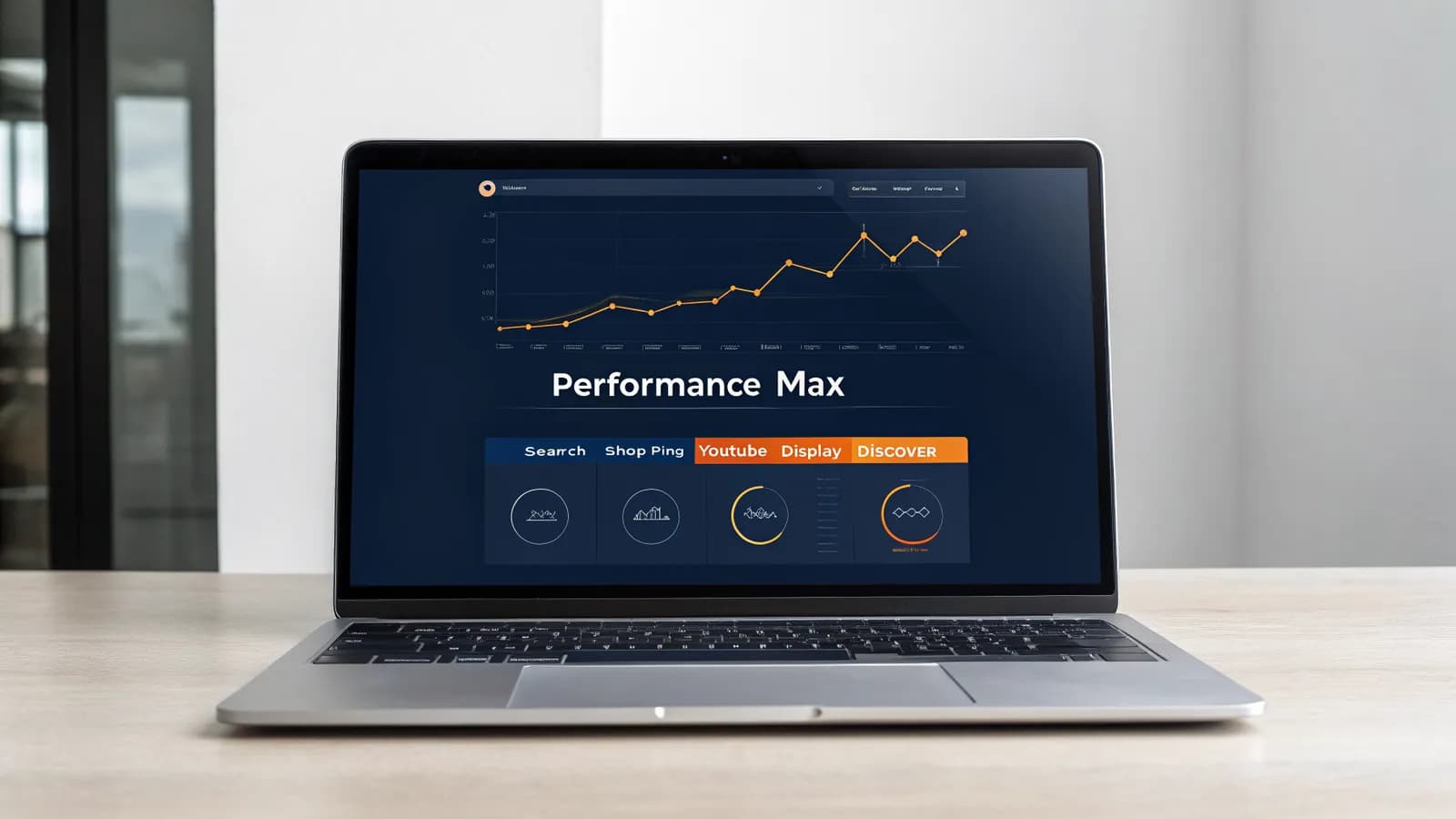
Google is steering more of your ad spend into Performance Max every quarter, whether you asked for it or not. 71% of advertisers already run it. The uncomfortable part is not the automation. It is what that automation does when it meets your own Search campaigns on the same queries. Google does not show you which campaign won that query, and most of the guides ranking for this topic were written before the controls to stop the collision existed. The controls do exist now. So before you hand your next dollar to Performance Max, which of your proven winners is it about to bid against?
Your Search campaign has been quietly bidding against your own Performance Max campaign for the same queries, and neither Google nor your dashboard has ever told you which one won. In a 2025 analysis of 503 advertiser accounts, 91.45% of accounts running Performance Max showed keyword overlap between Performance Max and their Search or Shopping campaigns. Google's own pitch says Performance Max lifts conversions 13–18%. The independent measurement of 3,300 campaigns and 1.2 million search terms says that on overlapping queries, Search and Standard Shopping beat Performance Max on conversion rate 84% of the time. Both statements are true at once, and that contradiction is the single most expensive thing in Google Ads right now. Your budget is the referee in a match you did not know was scheduled.
What Is Google Performance Max — and What Did It Replace?
Google Performance Max is a campaign type that buys every Google inventory surface from one campaign: Search, Shopping, Display, YouTube, Discover, Gmail, and Maps. You give it your assets and your conversion goal, and Google's AI decides where your ads appear, who sees them, and what you pay. There are no keywords, no placements, and no audiences in the traditional sense. You provide signals, and the algorithm does the rest.

It replaced the older automated campaign types. Smart Shopping went first, folded into Performance Max in 2022. Local campaigns and Smart Display campaigns followed. If you have been in Google Ads for more than a few years, Performance Max is the destination of everything Google used to sell as "smart" or "automated", now consolidated under one name with one goal: your conversion value.
The scale is not hypothetical anymore. 71% of advertisers now use Performance Max, up from 60% in 2024. Google reported in February 2026 that Performance Max accounts for roughly 62% of all Google ad clicks, and independent tracking puts it at about 45% of all Google Ads conversions. For most accounts, this is no longer a channel you opt into. It is the default state of the platform, and Search campaigns are the layer you maintain on top of it.
That shift matters for how you plan, because the 2026 question is not "should I try Performance Max?" It is "what do I keep in Search, what do I hand to Performance Max, and how do I stop the two from fighting over the same terms?" If you have not yet structured your account around that question, you are running the riskiest version of Google Ads without knowing it.
How Performance Max Campaigns Actually Work
Performance Max campaigns are organized into asset groups: bundles of headlines, descriptions, images, logos, and videos that serve as the raw material for every ad the system assembles. Each asset group is a themed unit: one product line, one audience segment, one category. Google combines your assets into the right format for each surface, so a single asset group can render as a search ad, a YouTube bumper, a Display banner, and a Shopping listing from the same components.
Two concepts are worth understanding before you build anything, because they are the most common source of wrong expectations.
Audience signals are hints, not targeting. When you add an audience to an asset group (remarketing lists, Customer Match segments, in-market audiences, custom intent), you are telling the algorithm where to start, not who is allowed to see your ads. Performance Max can and will expand beyond your signals to anyone Google predicts will convert. That is by design. It is also why beginners read the signal as a restriction, watch the campaign spend on "wrong" audiences, and conclude the system is broken.
The learning period is real, and it is longer than the interface implies. Google's official guidance talks about a learning period of a few weeks. Practitioners who run Performance Max daily give you a more honest number: do not judge the campaign before 4–6 weeks and 30–50 conversions. In that window the algorithm is mapping your feed, your assets, and your conversion data. Judging it early, or tightening bids before it has data, produces exactly the erratic performance you are trying to avoid.
Bidding follows one of two strategies: Maximize Conversions (volume) or Maximize Conversion Value (revenue, with an optional target ROAS). In practice, 78% of Performance Max campaigns run on target ROAS bidding, and 84% of those report hitting or exceeding their target. The catch is timing: set a tROAS or tCPA constraint before the campaign has accumulated 30–50 conversions, and you restrict the learning phase while it is still gathering signal, which usually raises your final cost per conversion.
One more input matters more than most guides admit: your product feed. For ecommerce accounts, a healthy Performance Max campaign spends 60–80% of its budget on Shopping inventory. That means your Merchant Center feed is not a supporting detail. It is the campaign. Incomplete feeds are a top cause of wasted spend. One 2026 agency case study tracked a feed that was only 40% complete; fixing it outperformed most bidding changes they tested that quarter.
Performance Max vs Search Campaigns: The Split Decision
Here is where most advice goes vague, and where your budget actually gets decided.
On queries where Performance Max and your Search campaigns overlap, the independent data favors Search. Adalysis measured 3,300 campaigns and 1.2 million search terms and found Search and Standard Shopping beat Performance Max on click-through rate in 65% of cases and on conversion rate in 84% of cases. Google's counter-claim, that Performance Max lifts conversions by 13–18%, is about what Performance Max does in isolation, not about what happens when it competes with your own Search campaigns for the same query.
How does Google itself resolve the overlap? By priority rules that favor Search when it is winning, and Performance Max when it is not:
- An exact-match Search ad with a good landing page experience generally wins the auction over Performance Max for the same query.
- If your Search ad is not competitive (weak relevance, low Quality Score, low bid), Performance Max can take the impression.
- Performance Max has priority over your Shopping, Display, YouTube, and Discover campaigns regardless.
The practical reading: your Search campaigns are the precision layer, and Performance Max is the expansion layer. Search should own your proven, high-intent terms. Performance Max should explore everything your Search campaigns are not structured to reach. It will explore aggressively if you let it bid on the terms your Search team spent months optimizing. Your existing Google Ads keyword structure still matters here, but its job changes: it defines what Search protects, what you exclude from PMax, and what the algorithm is allowed to discover on its own.
That is why the overlap problem is structural, not accidental. Optmyzr's finding that 91.45% of accounts with Performance Max have keyword overlap between PMax and Search or Shopping is not evidence that advertisers are careless. It is evidence that the default setup creates the conflict, and only explicit controls prevent it.
The decision framework
Situation | What to run | Budget rule of thumb |
|---|---|---|
Brand and competitor terms, proven exact-match search terms | Search only; exclude brand from PMax | Protect brand Search; watch PMax branded spend via Display/YouTube |
Ecommerce with a clean Merchant Center feed | Performance Max as primary | 60–80% of Shopping spend in PMax is the healthy benchmark |
B2B lead gen with a long, expensive sales cycle | Performance Max as additive test, Search as core | Cap PMax at ≤30% of total Google spend until incrementality is proven over 60+ days |
Data-thin account (<30 conversions/month) | Search first | Build conversion volume before adding an algorithmic layer |
New product lines, new audiences, expansion goals | Performance Max | Budget at least 10× target CPA daily; expect 4–6 weeks before judging |
For B2B specifically, the honest playbook is slower than the ecommerce one. Treat Performance Max as an additive layer with a hard cap of ≤30% of total Google spend until you can prove incrementality over 60+ days. Below roughly $5,000–10,000/month of total spend, you likely lack the conversion volume for the algorithm to learn anything. The campaign becomes a tax rather than a test.
If you are weighing Demand Gen vs Performance Max, the split is simpler: Demand Gen is Google's AI campaign for YouTube, Discover, and Gmail only, built for upper-funnel attention and video. Performance Max spans the full funnel including Search and Shopping. They are not alternatives; they are different jobs. Run Demand Gen when your goal is video views and prospecting creative, and Performance Max when you need conversions across every surface.
The Setup Walkthrough: What to Do Before You Launch
Step 1 — Get conversion tracking right first
Performance Max optimizes toward conversions, so a tracking setup that is wrong means the campaign optimizes toward nothing. Install conversion tracking before you create the campaign, verify it fires, and decide which conversions are primary versus secondary. Accounts that skip this step are the ones that report Performance Max as a money pit. Usually the algorithm was doing its job; the job was measured wrong.
Step 2 — Set a budget your conversion target can afford
A daily budget below roughly 10× your target CPA starves the algorithm of the data it needs. If your target CPA is $40, a $100/day campaign does not have a learning problem. It has a math problem.
Step 3 — Build themed asset groups, not one giant one
Structure asset groups around themes: product lines, categories, or audience segments. Each group needs the full asset set: 3–5 headlines, descriptions, one square and one landscape image minimum, and a video where you can supply one. Google's ad strength score is a useful completeness check, not a performance guarantee. A "Poor" rating usually means missing assets, but an "Excellent" rating does not predict outcomes. Consolidating fragmented asset groups into clear themes is one of the most consistently reported wins in 2026 accounts.

Step 4 — Use negative keywords. Yes, Performance Max has them now.
This is the control most guides miss, because most guides were written before 2025. Campaign-level negative keywords for Performance Max have existed since January 2025, the limit was raised from 100 to 10,000 terms in March 2025, and shared negative keyword lists arrived in August 2025. The old complaint that "Performance Max has no negatives, it's a black box" is outdated. The current question is whether you are using the controls Google shipped.
Practical rules:
- Add branded terms as exact negatives at account level if you run separate brand Search campaigns and want to prevent PMax from claiming branded conversions.
- Review your search terms report and feed the junk queries into campaign-level negatives, same as you would for Search.
- Understand the limits of the control: brand exclusions only cover Search inventory. Performance Max can still claim branded conversions through Display and YouTube placements.
Step 5 — Apply exclusions before launch, not after
Audience exclusions, demographic exclusions, and brand exclusions are all available as of 2026. Audience and demographic exclusions plus budget projections landed between March and April 2026. Set them at campaign level before launch. The budget projection report, added in the same window, is worth checking weekly: it tells you how Google expects the campaign to spend across the month, which is your earliest warning that brand terms or a single placement are absorbing budget.
Step 6 — Judge on a schedule, not on a whim
Do not touch bids for 4–6 weeks. Do not judge performance before 30–50 conversions. Use the channel-level performance report, available since November 2025, to see which inventory (Search, Shopping, YouTube, Display, Discover) is actually driving results, instead of guessing from aggregate numbers. If you need help structuring the campaign itself, our Google Ads campaign builder guide covers the full build sequence for every campaign type.
Managing Performance Max at Scale
Once the campaign is live, management is a weekly rhythm, not a launch-day event. The accounts that make Performance Max work monitor three things:
- Spend efficiency per channel. The channel-level report shows whether YouTube is burning budget while Shopping converts. A common 2026 pattern: healthy overall ROAS hiding one surface that eats 30% of spend for a fraction of conversions.
- Search term hygiene. New queries flow in constantly. Feed irrelevant ones into negatives on a weekly cadence. The 10,000-term limit gives you room to be thorough.
- Asset group performance. Weak asset groups drag the account. Refresh creative, consolidate themes, and retire groups that cannot convert after a fair learning window.
This is where Performance Max management tooling earns its place. The native interface spreads the job across five screens: asset group editor, audience signals, search themes, listing filters, and campaign settings. None of them share a page. Agencies running PMax for multiple clients repeat the navigation for every account. Performance Max management tools collapse that into a single workflow: describe the campaign, and the full structure (asset groups, audience signals, search themes, listing filters) is built for you to review and confirm before anything touches the account. At Allable, that runs in the same chat where you do your Google Ads reporting, so spend-waste flags, search term insights, and the campaign structure live in one place instead of three dashboards.
The same pattern applies beyond PMax: the AI campaign builder comparison shows how far campaign automation goes across vendors, and our marketing automation overview covers where the broader automation layer starts and stops. If your account runs on scheduled optimization rather than ad-hoc review, SEO automation tools are the organic-side counterpart to the paid workflow above.
Allable starts free at 300 credits a month, with Pro at €31/month billed annually (€37 month-to-month). Connect your Google Ads account and get the PMax structure, spend-waste flags, and reporting in one conversation.
Common Performance Max Failure Modes (and How to Diagnose Them)
Brand budget absorption. Brand exclusions cover Search inventory only. A Performance Max campaign can still claim branded conversions through Display and YouTube, often at a higher cost than your brand Search campaign would have paid. The symptom: branded revenue appears in PMax reporting, and your brand Search campaign's conversion volume drops. The fix: branded terms as exact negatives at account level, and weekly checks of the channel report for brand-adjacent spend.
Data-thin accounts. Performance Max needs conversion volume to learn. If your account generates fewer than 30 conversions a month, the algorithm is guessing, and guessing costs more than Search would. The symptom: erratic CPA that never stabilizes. The fix: build conversion volume with Search first, and add Performance Max only when the data exists to feed it.
Low-quality placements. Performance Max is designed to expand into Display and YouTube, and those placements convert differently than Search. The symptom: impressions and spend grow while conversions stay flat. The fix: channel-level reporting, placement exclusions where available, and honest questions about whether the expansion surface fits your offer. A $5,000 B2B software sale will not usually convert from a Display banner. No amount of bidding will fix that.
Asset group cannibalization. Two asset groups targeting overlapping themes bid against each other and inflate your costs. The symptom: rising CPCs with no change in bids. The fix: consolidate themes so each asset group owns a distinct job, exactly as you would structure ad groups in Search.
Premature judgment. The campaign is three weeks old, has 12 conversions, and the boss wants results. I have killed campaigns in week three that would have been profitable in week six, so I set the gate in writing before launch now. The symptom: you keep killing campaigns during the learning window and restarting the clock. The fix: set the 4–6 week / 30–50 conversion gate before launch, put it in writing, and review against it.
The Bottom Line
Performance Max in 2026 is no longer the uncontrolled black box the 2022 guides described, and no longer optional for most accounts. Campaign-level negatives with a 10,000-term limit, shared negative lists, channel-level reporting, brand and audience exclusions, and budget projections have turned it into a system with real controls. The accounts that win with it run Search as the precision layer, Performance Max as the expansion layer, and explicit rules for what each one is allowed to touch.
Frequently Asked Questions
- Do Performance Max campaigns actually work?
- Yes, with the caveat that "work" depends on what you compare them to. In isolation, the data is strong: 84% of accounts running target ROAS bidding report hitting or exceeding their target, and Performance Max holds 62–68% of Google Shopping spend while delivering comparable ROAS to Standard Shopping with roughly 18% higher CTR. But on queries that overlap with your Search campaigns, Search wins the conversion 84% of the time. Performance Max works best as an expansion layer with controls, not as a replacement for your proven Search terms.
- How much does a Performance Max campaign cost?
- There is no minimum or maximum. Cost is set by your daily budget, and Google recommends one that gives the algorithm room to learn. The practitioner rule: your daily budget should be at least 10× your target CPA, and you should be prepared to run 4–6 weeks before judging efficiency. If you are testing Performance Max in a B2B account, cap it at ≤30% of total Google spend until incrementality is proven.
- Performance Max vs Google Ads Search — which should I use?
- Both, with clear separation. Search owns your brand terms, competitor terms, and proven exact-match queries: the precision layer. Performance Max owns expansion: new audiences, Shopping, YouTube, Display, and every query your Search structure does not cover. On overlapping queries, exact-match Search wins the auction; Performance Max wins the rest. Running both is not the risk. Running both without negatives, exclusions, and a defined budget split is.
- Can you do keyword research for Performance Max?
- Not in the traditional sense. Performance Max has no keywords. What it has instead are search themes (up to 25 per asset group) that guide the algorithm on query intent, plus campaign-level negative keywords to block what you do not want. Your keyword research still matters, but it shifts job: instead of building a keyword list to target, you build a list to steer and exclude. Mining your search terms report the way you would for a Search account is what feeds both. It is the only keyword work Performance Max actually responds to.
- What is the difference between Demand Gen and Performance Max?
- Demand Gen is Google's AI campaign for YouTube, Discover, and Gmail. It is built for upper-funnel video and prospecting creative. Performance Max spans the full funnel, including Search and Shopping, in a single campaign. If your goal is conversions across every surface, Performance Max is the fit; if your goal is video attention and prospecting, Demand Gen is the more honest answer.
Run PMax like it is one campaign in a portfolio you manage, not a black box you hope performs.
Connect your Google Ads account and get spend-waste flags, keyword insights, and reporting in one place. Start free — no credit card required.