
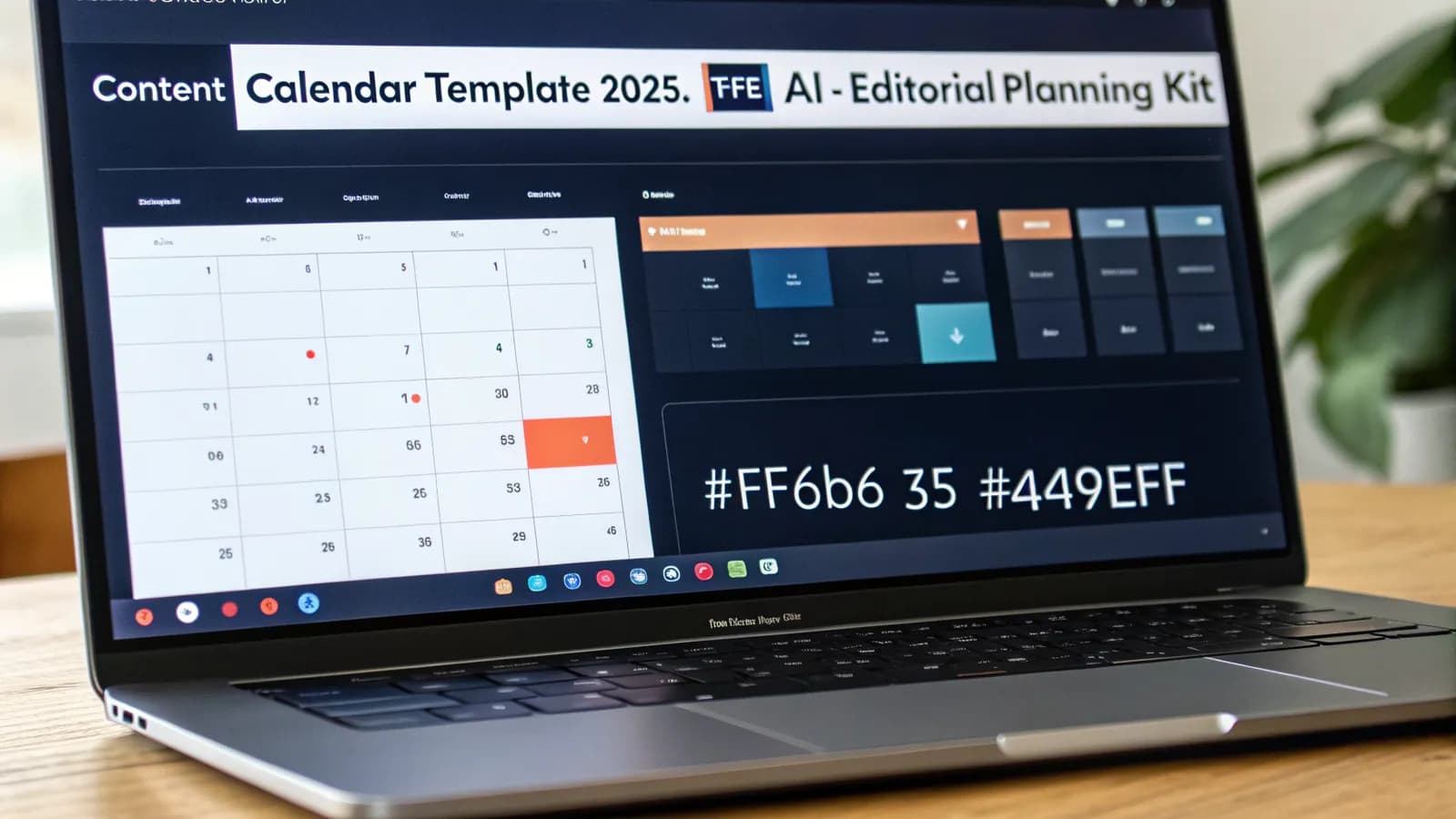
You're the type of content lead who doesn't trust a calendar until it's survived three real weeks — and you've already watched two templates die by week four. The Google Sheets template you grabbed last quarter was built for a world where rankings lasted 18 months. Yours last six now, and the calendar can't see it. Between us: every top content calendar template on the internet stops at planning — none of them run the work. Yours tracks dates and statuses while AI search answers your customers' questions without you. So which part of your publishing system is costing you traffic right now?
If you manage content for a living, you already have a calendar. Probably two. One in Notion, one in Google Sheets, maybe a third in the marketing tool your last agency sold you. And if you're honest about how much of it you actually update, you already know where this is going.
The free content calendar template you downloaded three months ago is quietly dying. Not because you're disorganized. Because the publishing game moved and your template didn't. Your calendar still tracks publish dates, authors, and statuses. It has no idea that Google now answers questions with AI Overviews, that your evergreen post's ranking window shrank from 18–24 months to roughly 6–8, or that the same piece of content needs a repurposing pipeline feeding LinkedIn, Instagram, and your newsletter. That's what a calendar actually has to hold in 2026. So the real question isn't which template to download next. It's whether you're still using a system designed for a world that no longer exists, and what that costs your traffic while you figure it out.
What a Content Calendar Actually Needs to Track in 2026
The classic content calendar tracks four things: publish date, title, channel, status. That worked when search results were stable and content decayed slowly. It doesn't work anymore, and your traffic data already knows it.
Digital Applied's 2026 planning research found that an evergreen post held stable rankings for 18–24 months in 2020. Today that window is closer to 6–8 months on competitive terms. A calendar that doesn't plan refresh cycles is silently losing traffic you already paid to earn.
So a 2026 content calendar template needs at least these layers on top of the basics:

- Refresh schedule. Every piece gets a "next refresh due" date, not just a publish date. When a post hits month 5–6, your calendar should flag it before Google demotes it, not after.
- AI search surface coverage. Track which formats and topics are designed to win AI Overviews, ChatGPT, and Perplexity citations — not just organic blue links. That changes the kind of content you plan: answer-shaped paragraphs, cited sources, comparison tables.
- Repurposing pipeline. One piece of content becomes 4–6 assets: blog post → LinkedIn post → Instagram carousel → newsletter section → updated FAQ. Your calendar needs a column for that chain, or the "we should share this" conversation happens in Slack instead.
- Performance checkpoints. A 30-day and 90-day position review per piece. Without them, you plan in the dark and only notice decay when traffic reports arrive a month late.
These layers matter because they change what you plan, not just when you publish. An answer-shaped paragraph that cites a named source is a different assignment than a generic blog post — it has different research, different structure, and a different success metric. A template that only has a date column can't tell you which one you're supposed to be writing, so you default to the format you already know. That default is usually the one AI search answers are least interested in.
Here's what this means for you: the template that feels familiar, the one with the nice color-coded statuses, is the template that can't see the work your content actually needs in 2026. The gap isn't discipline. It's the system.
The Best Content Calendar Templates Compared
There's no single best template. There's the right one for how your team works. Here's how the serious options shake out, and where each one fits your workflow.

Smartsheet — best for complex approval workflows
Smartsheet's marketing calendar templates (Excel, Google Sheets, Word, PPT, and PDF formats) are the deepest in the SERP: 11 template types covering basic content, social media, email, digital campaigns, editorial, product launches, and more. Each comes with a "when to use this" note, which most competitors skip.
- Best for: you, if your team has formal approval chains, stakeholders who need sign-off visibility, and multi-channel campaign planning.
- Watch out for: the templates are form over system. They cover every format but assume you already know your cadence — and Smartsheet's own sales pitch sits in every section.
Airtable — best for connecting content to performance data
Airtable's content calendar template is the most modern in the SERP. It ships with pipeline and calendar views, performance tracking, a central content repository, custom views, and, new for 2026, AI content creation and AI reporting built in, so you can tie content rows to spend and clicks.
- Best for: you, if you want content and performance data in one place and are willing to build the structure yourself.
- Watch out for: it's signup-gated, it doesn't distinguish content vs. editorial vs. social calendars, and the AI is a feature list rather than a workflow that plans your quarter for you.
Notion — best for small teams that live in Notion
Notion's content calendar gallery is a marketplace: hundreds of free templates from creators, from minimal week views to full editorial systems. Notion excels when your team already runs its docs, tasks, and wikis there.
- Best for: you, if you're a small team that wants one workspace and doesn't need deep analytics.
- Watch out for: the gallery is template cards with almost zero guidance. You're on your own for structure, cadence, and strategy. The template is the easy part; the system isn't included.
Google Sheets — best for free, flexible, zero-signup
The free Google Sheets content calendar template (we built one, no signup, no email wall) is the fastest way to start. You can copy it in seconds and adapt it endlessly.
- Best for: you, if you're a solo marketer, a startup that hasn't picked a stack yet, or someone who needs something working today.
- Watch out for: sheets scale poorly. You'll fight the same formulas and misaligned columns at week ten that you celebrated in week one.
CoSchedule-style marketing calendars — best for integrated planning + promotion
CoSchedule-style tools (editorial calendar, social scheduling, and promotion planning in one view) are the heavyweight option. They're built for marketing teams that need every piece of content planned, published, and promoted from a single command center.
- Best for: you, if you're an established team with real content volume and a budget for dedicated software.
- Watch out for: cost and setup. A calendar this powerful takes time to configure, and it only pays off if the whole team commits to it.
The short version: Smartsheet for approvals, Airtable for data-driven teams, Notion for Notion-native teams, Google Sheets to start free, CoSchedule-style when volume and budget justify it.
How to choose, fast. If your problem is that content never gets approved, start with Smartsheet. If your problem is that you can't tell which content performs, start with Airtable. If your problem is adoption — nobody opens the calendar — start with Notion or Google Sheets, because the best template is the one your team actually opens. If your problem is volume and you're publishing daily across channels, a CoSchedule-style tool is worth the money. That's the decision order most roundups skip: they list 32 templates and leave you to guess which one fits. If you're reading this and none of them feels right, that's not a coincidence. The SERP's best templates all stop at planning, and the work of actually running the calendar is still yours.
Editorial Calendar Template vs Content Calendar: What's the Difference?
People use the terms interchangeably, and template vendors blur them on purpose. The difference matters for your planning more than it looks.
- A content calendar is the operational layer: what gets created, when it publishes, on which channel, in what status. It answers "what are we shipping this week?"
- An editorial calendar is the strategic layer: which topics, for which audience, in which stage of the funnel, tied to business goals and campaigns. It answers "why are we shipping this at all?"
An editorial calendar template adds the columns your content calendar leaves out: target persona, funnel stage, business goal, campaign tie-in, and the source of the idea (keyword research, competitor gap, customer question). Canva's own social media calendar guide makes this distinction, and it's the one genuinely useful thing most templates skip.
The practical takeaway: you need both, but you don't need two spreadsheets. A single calendar with an editorial layer (topic, persona, goal) on top of the operational columns is what a mature planning system looks like. If your current template only has dates and statuses, that's a content calendar wearing an editorial calendar's name.
Social Media Content Calendar Template
The social variant is where most template roundups stop, and where the actual strategy usually goes missing. A social media content calendar template that works in 2026 tracks more than what your team posts at 2 PM Tuesday.
What your social calendar needs:
- Channel columns. One row per piece, with the version of that piece for each channel — the LinkedIn angle, the Instagram carousel, the X thread. Posting the identical caption everywhere is how engagement dies quietly.
- Format rotation. Track your mix: educational, entertaining, promotional, UGC, behind-the-scenes. If your calendar can't show you whether you're 80% promo, you'll never notice until the numbers drop.
- Cadence that matches the data. Hootsuite's 2026 research shows organizations that post twice weekly had the highest overall engagement (2.08%) on Facebook, with Instagram, LinkedIn, and X also peaking around two posts per week. Your calendar should reflect a deliberate cadence — not "whenever someone remembers."
- Repurposing links. Every social post should trace back to the piece of content it came from. That turns your social calendar into a distribution engine instead of a content generator that competes with your blog.
- Visual asset column. A social post is 90% visual before it's 10% caption. Track the asset status per piece — planned, designed, approved — so your calendar surfaces the design bottleneck before Friday, not on Monday. Most social templates stop at the caption and leave the actual work invisible.
A good social content calendar template connects to your editorial calendar instead of duplicating it. Same pipeline, different view — not a second spreadsheet with "Instagram" in the title.
How to Build Your Own Content Calendar From Scratch
If none of the ready-made templates fit — or you want one that actually matches how your team works — build it. Six steps, no design skills required.
Step 1 — Start with one table, not a dashboard. Open a spreadsheet and make five columns: Topic, Channel, Publish Date, Status, Owner. That's the minimum viable calendar. Everything else gets added because you need it, not because a template vendor thought it looked good.
Step 2 — Add the editorial layer. Insert Topic Source, Target Persona, Funnel Stage, and Business Goal columns. Now your calendar answers "why" as well as "what". That's the upgrade from content calendar to editorial calendar.
Step 3 — Add the 2026 layers. Refresh Due Date, AI Surface Coverage (AI Overview / ChatGPT / none), and Repurposing Pipeline. These three columns are what make your calendar work in 2026 instead of 2019.
Step 4 — Set a cadence with honest numbers. Hootsuite's data says two posts per week is the engagement peak on most platforms; the Small Business Expo's 2026 research found that planning 2–4 weeks ahead saves the average founder over ten hours per month. Don't plan 12 weeks of content you'll abandon in two. Plan 2–4 weeks, tightly, and review weekly.
Step 5 — Add performance checkpoints. Create a 30-day and 90-day column per piece, or a separate tracking tab. When a piece passes 5–6 months without a refresh flag, the calendar should be shouting at you. That's the decay window Digital Applied measured.
Step 6 — Review weekly, not monthly. A calendar is a habit with a schedule, not a document. Block 30 minutes every Monday: move statuses, flag refreshes due, kill anything that drifted off strategy. This one habit is the difference between a template that gets used and one that dies in week three.
Common mistakes to avoid. Building a calendar that's prettier than it is practical: 14 columns, color-coded priorities, and a view that takes two minutes to scroll. If a column doesn't change a decision you make, cut it. The second mistake is planning too far ahead — twelve weeks of neatly scheduled content that becomes fiction by week three. The third is treating the calendar as a record instead of a driver: if nothing in your week changes because of what the calendar says, you built a log, not a plan. Keep the columns that change decisions, plan in 2–4 week windows, and let the weekly review do the steering.
How AI Generates and Runs Your Calendar
Here's where your 2026 calendar stops being a spreadsheet and starts being a system. The data says the direction is clear: HubSpot's 2026 State of Marketing found that ~94% of marketers plan to use AI in content creation processes, and Typeface/CMI's 2026 research shows AI-powered marketing tools are the #1 investment priority for B2B marketers (45%). But most of that AI is still being used as a writing shortcut: generate a draft, paste it into the calendar, update the status by hand.
A calendar that plans and runs itself changes the workflow at each step:
- Briefs, not blank rows. Instead of "topic: keyword research guide" sitting empty in your calendar, the system generates a writer-ready content brief — outline, target keyword, secondary keywords, competitor analysis, internal links. Your calendar fills itself with work that's ready to execute, not promises.
- Scheduling that follows the data. The calendar doesn't just hold dates — it decides what gets planned next based on your keyword database, your search performance, and what's decaying.
- Status updates that happen. When content is written, briefed, or published, the calendar knows. No more Monday morning "where's that article?" archaeology.
- The refresh loop, automated. Content decay doesn't wait for your quarterly review. A calendar with AI visibility flags pieces at month 5–6, generates refresh strategies, and keeps the pipeline full — the same orchestration principle we cover in our content lifecycle guide.
This is where Allable.ai comes in — a calendar that actually runs the work instead of just holding dates. Allable plans, briefs, and schedules your content from one AI workspace: it runs your keyword research, generates writer-ready content briefs, tracks refresh and decay cycles, and schedules publishing.
Why this matters for your team: the companies winning with content in 2026 have a documented strategy. CMI's research shows they're 3.5× more successful than those without one, and content marketing generates 3× more leads than outbound at 62% lower cost per lead. A calendar that plans itself is what makes that documentation possible without a full-time ops hire. It's the planning layer our SaaS SEO strategy guide puts first.
For a solo marketer or a three-person team, this is the difference between a content program and a content hobby. Without the automation, the calendar is another task on your list — another spreadsheet to feed on Sunday night. With it, the briefs arrive ready, the schedule fills itself from your keyword priorities, and the refresh flags appear before decay bites. The tool doesn't remove the thinking; it removes the data entry so your thinking goes into the content instead of the admin.
Frequently Asked Questions
- What is the best free content calendar template?
- If you're not sure where to start, the best free option is a Google Sheets content calendar template: no signup, instant to copy, endlessly editable. If your team already lives in Notion, a Notion template will get more adoption because it sits where the work already happens. Start free, and only move to Airtable or a dedicated tool when the sheet itself becomes the bottleneck.
- What's the difference between a content calendar and an editorial calendar?
- A content calendar tracks the operational layer: what publishes, when, on which channel, in what status. An editorial calendar adds the strategic layer: topic, target persona, funnel stage, business goal, campaign tie-in. You need both; the cleanest way is one calendar with the editorial columns on top of the operational ones.
- How do I make a content calendar in Google Sheets?
- Start with five columns (Topic, Channel, Publish Date, Status, Owner), then add the editorial layer (Topic Source, Persona, Funnel Stage, Goal) and the 2026 layers (Refresh Due Date, AI Surface Coverage, Repurposing Pipeline). Plan 2–4 weeks ahead, review weekly, and cut any column that doesn't change a decision you make. We have a free ready-to-copy Google Sheets template if you want a head start.
- What should a social media content calendar include?
- Channel-specific versions of each piece, format rotation (educational vs. promo vs. UGC), a cadence matched to real engagement data — Hootsuite's research pegs the engagement peak around two posts per week per platform — and a repurposing link back to the source content. If yours only has dates and captions, it's a reminder list, not a social calendar.
- How much time does a content calendar save?
- The Small Business Expo's 2026 research found that planning content 2–4 weeks ahead with tools like Google Sheets or Notion saves the average founder over ten hours per month — probably more than your current process does. That's the manual baseline. When the calendar also generates briefs and tracks refresh cycles, the savings multiply — the time goes from filling spreadsheets to producing content.
The Bottom Line
The best content calendar template is the one that's still being updated in week six. That doesn't come from picking the right vendor — it comes from a calendar that matches how your team actually works, tracks what 2026 publishing demands, and reduces the manual feeding instead of adding to it. Download a free template, build your own with the six steps above, or let AI run the calendar for you. But if your current one doesn't know about refresh cycles, AI search surfaces, and repurposing, it's already costing you traffic. The template was never the problem.
The template was never the problem. The system was.
Stop managing the calendar — let it manage the work.
Allable plans, briefs, and schedules your content from one AI workspace.